Salla Partner App · Inventory analytics

Turn dead stock
back into cash

Find the stock that stopped selling in your Salla store, see how much cash it holds, and clear it with scheduled discounts you can undo in one click.
  • 7-day free trial
  • No code or setup
  • You approve every price
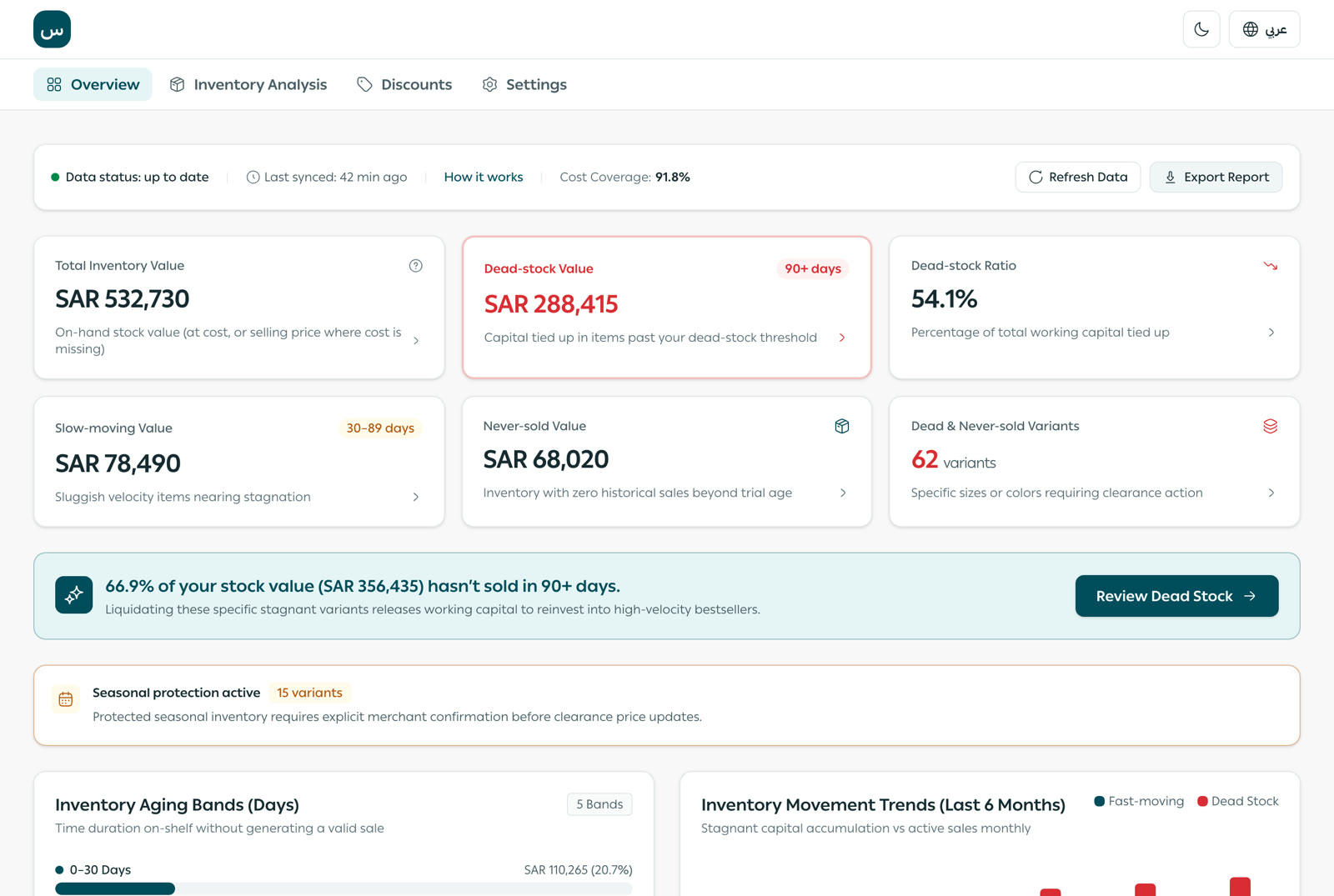
StockRevive dashboard inside Salla
  • Opens inside Salla
  • Size & colour level
  • Arabic & English
  • Scheduled discounts
  • One-click undo

The problem

Your best seller can be hiding your worst stock

Reports look at whole products, but stock gets stuck in single sizes and colours. That cash sits on the shelf for months before anyone notices.

  • Hidden in plain sight. A product can look fine while its green XL has not sold in months. Product-level reports never show it.
  • Cash sitting on shelves. Every unit that does not sell is money you already paid and cannot spend on stock that does.
  • Discounting by hand is risky. Changing prices one by one is slow, easy to get wrong, and easy to forget to change back.

Royal Crepe Abaya

76 sold in the last 90 days

XSSMLXLBlackNavyBurgundySand
Dead stockBurgundy · XS last sold 135 days ago.
  • Dead stock 4
  • Never sold 1
  • Slow moving 4
  • Selling 11

Tap a cell, or switch to the product report.

How it works

Find it. Understand it. Clear it.

These are the real StockRevive screens, running on a demo store.
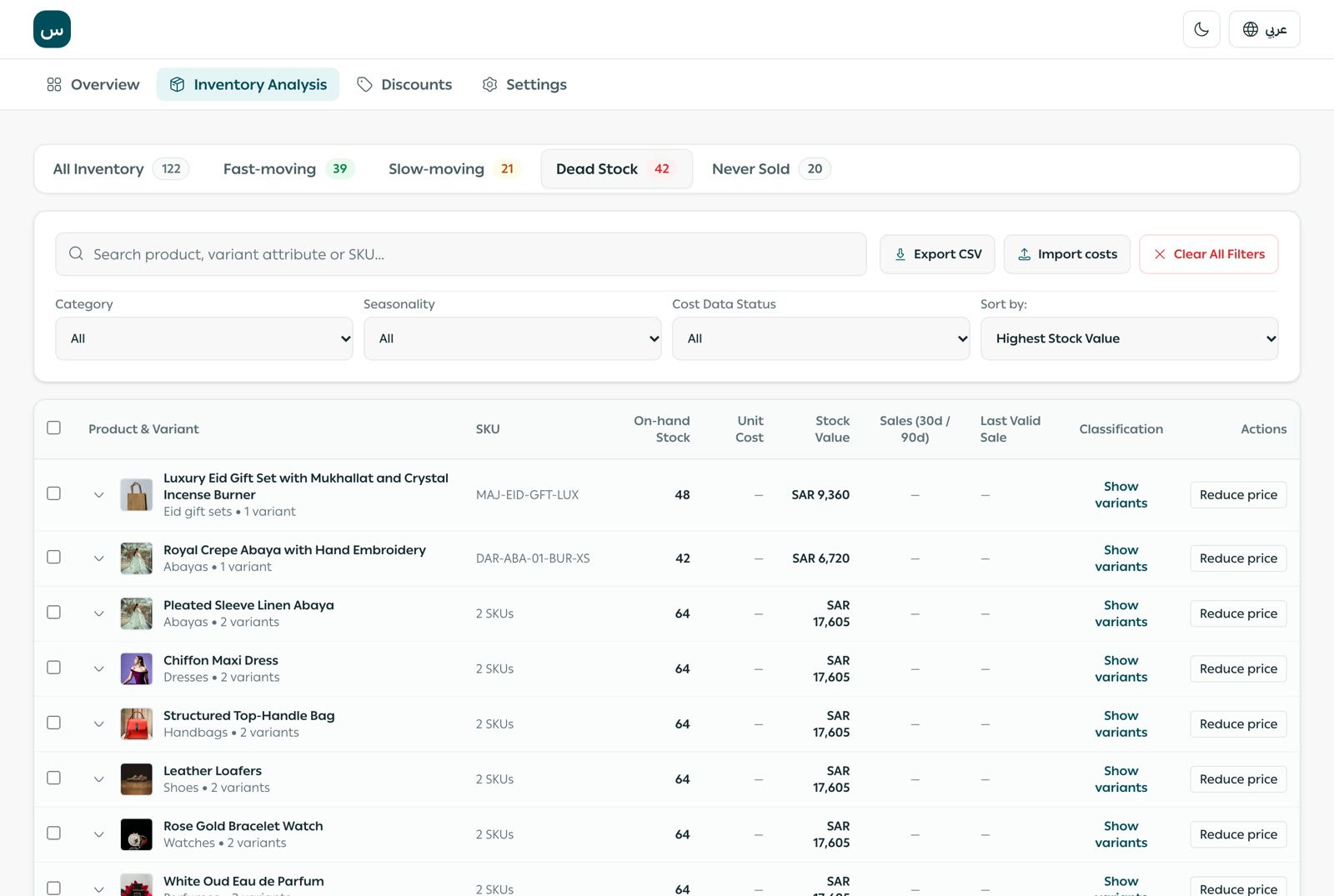
StockRevive inventory list filtered to dead stock

What you get

Know what is not selling, and what it costs you

Find dead stock automatically

StockRevive reads your Salla orders and stock and sorts every variant into dead, slow moving, never sold or healthy, from your real order history.

Down to size and colour

Every variant is analysed on its own, so one slow size never hides behind a product that sells well.

See the cash it holds

See the money tied up in each group, by category and brand, and how it changes over time. Valued at cost, or at selling price where cost is unknown, and labelled as such.

Thresholds you control

By default a variant is dead after 90 days without a sale, slow after 30, and never sold after 60 days in stock. Change them store-wide or per category.

Cost prices, your way

No cost price in Salla? Enter it by hand or import a CSV file, and the cash figures update.

Built for Salla, in Arabic

Opens inside your Salla dashboard in Arabic or English, right to left in Arabic, and follows its light or dark theme. No setup, no code.

Safe by design

Try the safety check yourself

Move the slider. StockRevive approves a price only when it is safe, and tells you why when it is not. The same rules run on every variant in your store.

  • Nothing changes without you. StockRevive writes only sale prices, and only after you confirm a full preview. It never discounts on its own.
  • Safety checks on every variant. Variants already in a discount, already cheaper, that would sell below cost, or that would be cut by more than 90% are left out. You are warned about unknown costs and seasonal items.
  • Changed prices are skipped. If a price changed after your preview, that variant is skipped instead of being discounted on old numbers.
  • Ends on its own. Every clearance has an end date. Prices go back by themselves, so nothing stays discounted by accident.
  • One-click undo. Undo a whole campaign in one click. StockRevive never overwrites a price you edited yourself.
  • Your data is protected. Store tokens are encrypted, Salla webhooks are signature-verified, and each store's data is kept separate. No customer personal data is stored.
  • Royal Crepe Abaya · Burgundy / XSSAR 420SAR 273Approved · 41% margin
  • Oud Royal Eau de Parfum · 100 mlSAR 450SAR 293Approved · 18% margin
  • Heritage Chronograph · SilverSAR 549SAR 579Left out: already on sale at SAR 549

2 of 3 prices would change, and nothing changes until you confirm.

Get started

Live in your store in minutes

  1. 1

    Install StockRevive

    Install it from the Salla App Store. It reads your products and order history automatically.

  2. 2

    Review what is stuck

    See your dead, slow and never-sold stock, and the cash each group holds.

  3. 3

    Clear it, safely

    Pick variants, choose a discount and an end date, review the preview, then apply now or schedule it. It ends on its own.

Made for Saudi merchants, fully in Arabic

Right to left, Gregorian dates, SAR amounts, and the same app in English for your team.
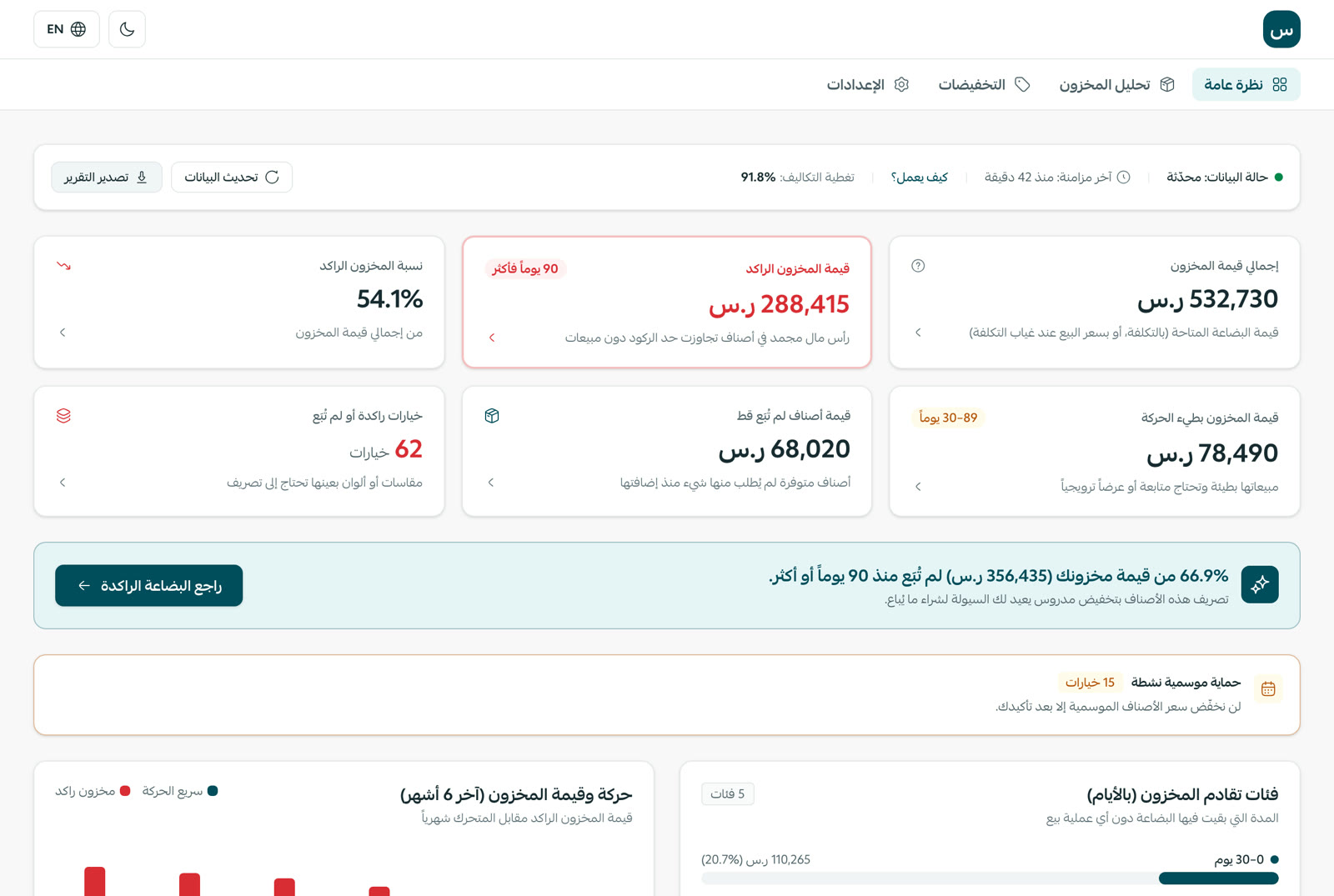
StockRevive dashboard in Arabic

Pricing

One plan. Everything included.

Try it free for 7 days, then pay monthly or yearly.

Growth

One plan with every feature.

SAR 99 / month

Billed monthly by Salla.

7-day free trial

  • Dead, slow and never-sold stock detection
  • Variant-level analysis by size and colour
  • Cash tied up by category and brand
  • Custom thresholds per category
  • Cost entry and CSV import
  • Clearance discounts with a full preview
  • Scheduled start and automatic end date
  • One-click undo
  • Unlimited products and variants
  • Arabic and English interface
Start your free trial on Salla

Billed by Salla through the Salla App Store. Cancel from your Salla dashboard.

Questions

Common questions

Will StockRevive change my prices without asking me?
No. It only changes a price when you launch a clearance: you pick the variants, choose the discount and end date, review a full preview with safety checks, and confirm. Even then it writes only the sale price; your regular price stays as it is.
How does undo work?
Every clearance ends by itself on its end date and the previous prices come back. To stop one early, open it from the discount history and press "Rollback & Restore Prices". The prices from before the campaign are restored in one click.
What if I change a price myself during a clearance?
Your change wins. When the campaign ends or you undo it, StockRevive leaves that variant alone instead of overwriting the price you set. Also, if a price changes between your preview and applying the discount, that variant is skipped.
Which store data does StockRevive use?
Your products and variants (names, prices, sale prices, cost prices, stock, categories and brands) and the line items of your orders (order number, date, status, variant, quantity and amount). It does not store your customers' names, emails, phone numbers or addresses. Details are in the Privacy Policy.

See all questions

Put your slowest stock back to work

Install StockRevive from Salla and start with a 7-day free trial.

Install on Salla